Location · Screen time · Safe driving

Your family,
connected.

Clann brings everyone you love into one calm, private place — see where they are, know they got there safely, and finally see screen time clearly enough to fix it without a fight.

Built for iPhone · Private by design · No ads, ever
9:41●●● ◎
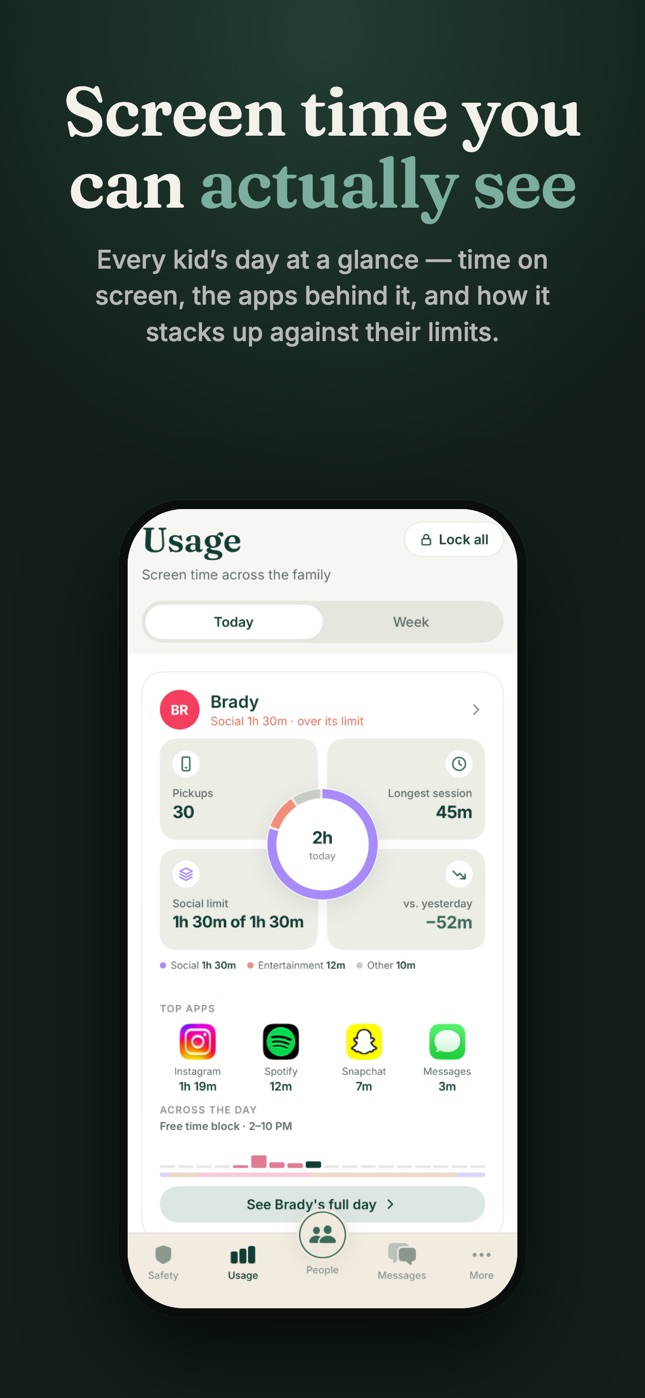
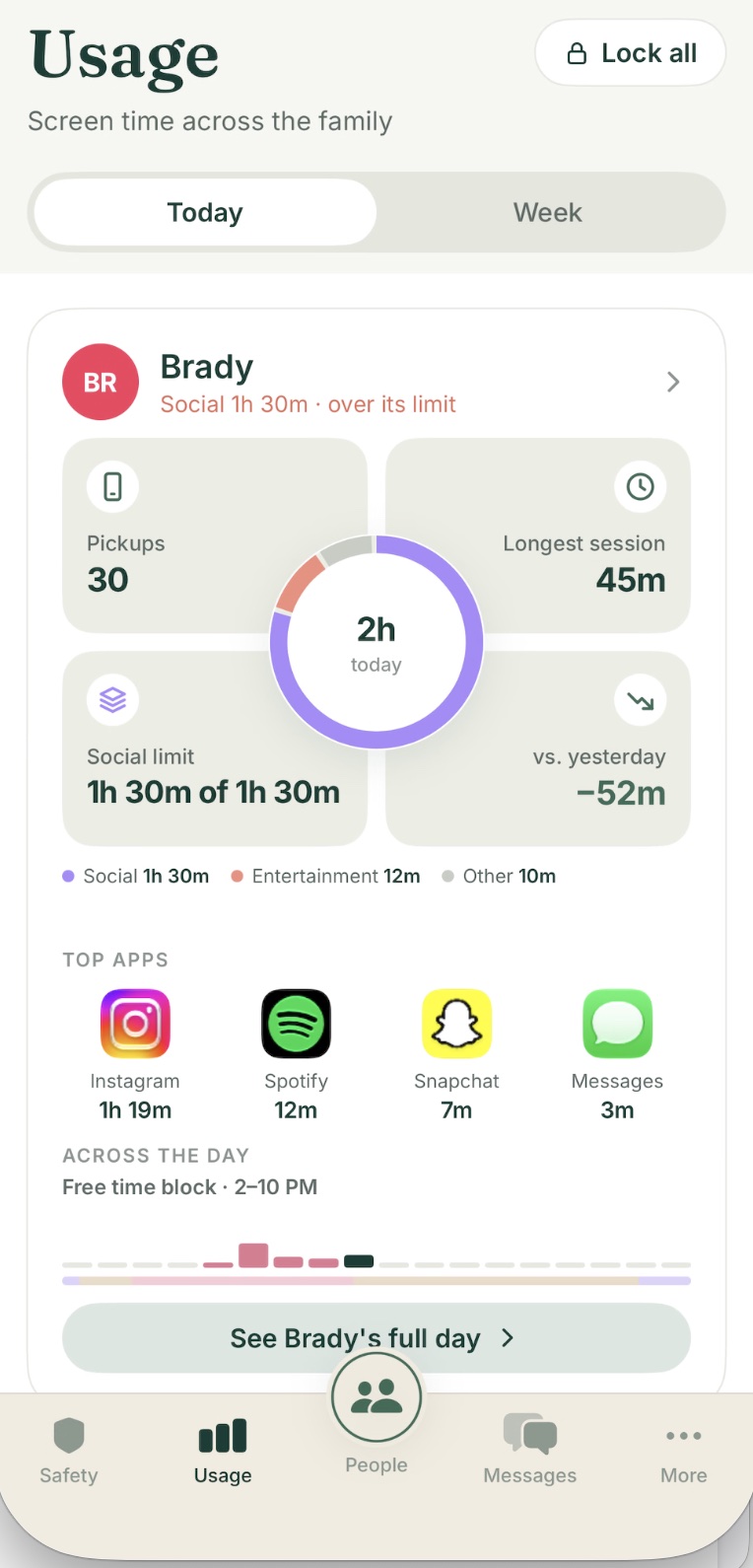
Clann's Usage tab: Brady's screen time today — 2 hours, 30 pickups, Social limit reached, top apps, and a See full day button
One app, whole family

Everything that keeps them close

Location, screen time, and safety in a single warm, uncomplicated app — no separate logins, no clutter.

Live family map

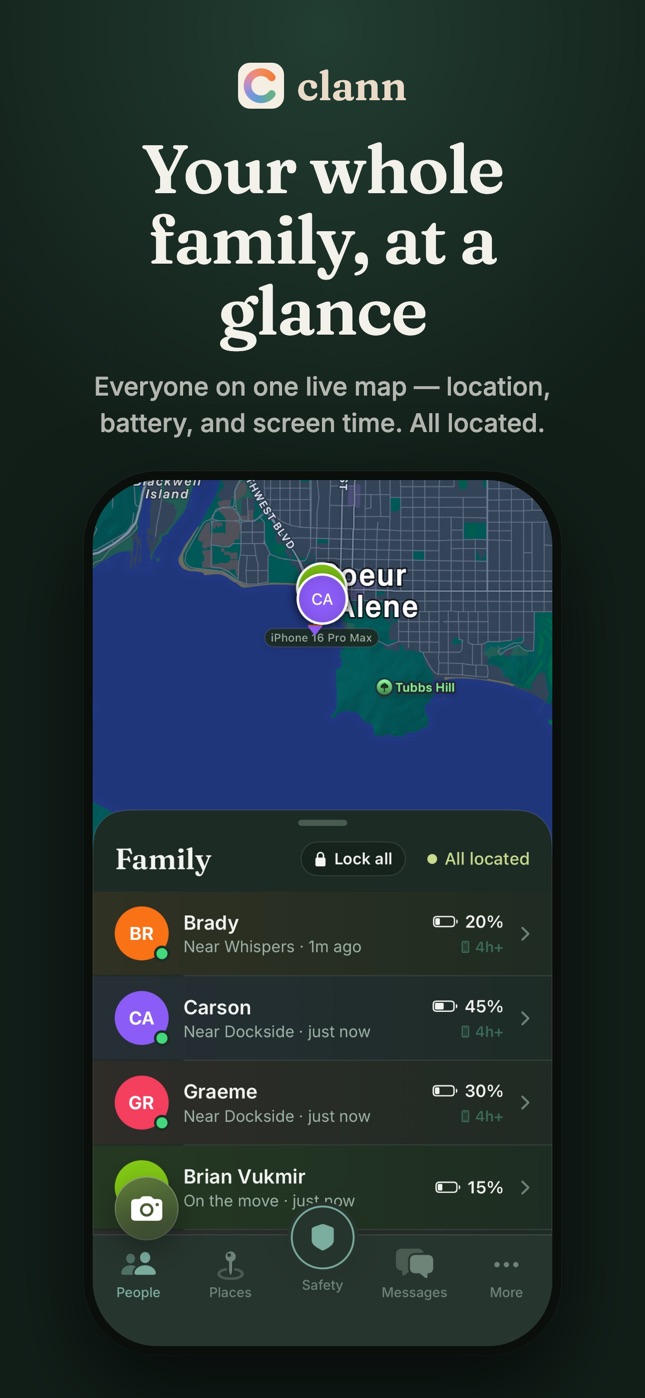
Everyone on one live map — where they are, how much battery they have left, and whether their phone is locked or limited.

Places & arrival alerts

Save home, school, practice, grandma's. Get a gentle heads-up the moment someone arrives or leaves.

Screen time you can see

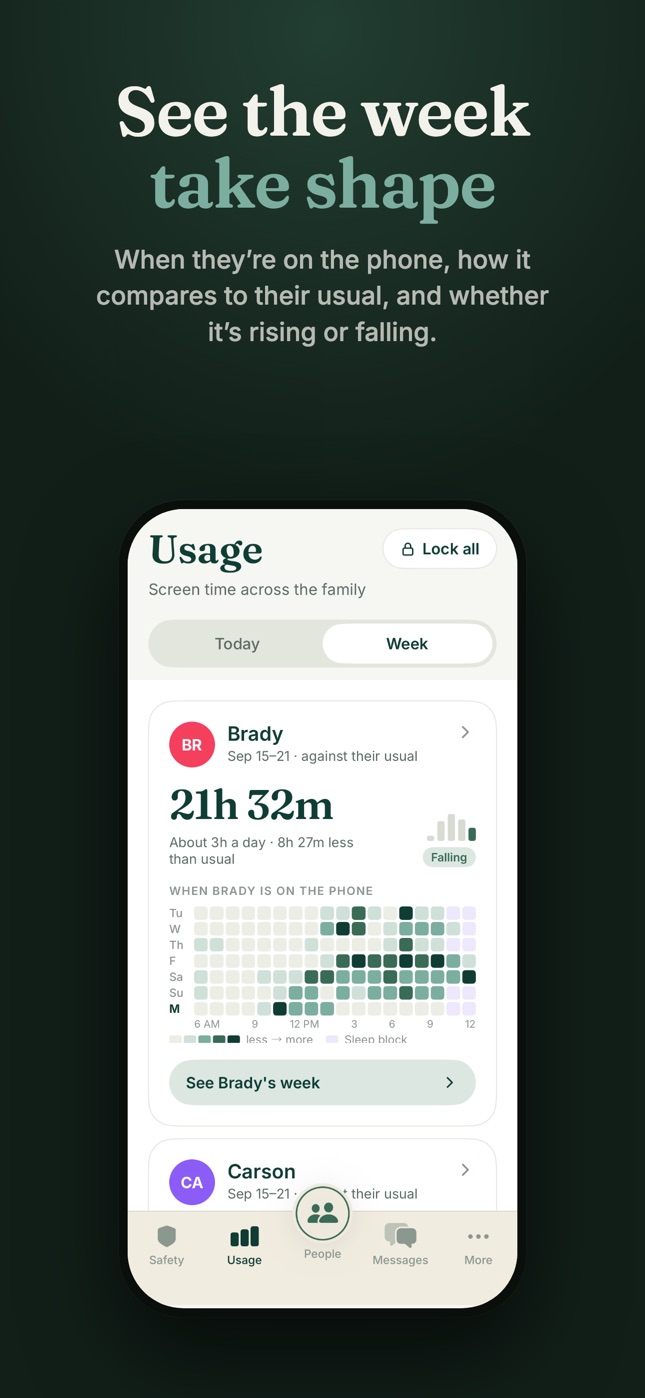
Today and this week, for every kid — time on screen, the apps behind it, and how it stacks up against their limits.

Limits, bedtime & school hours

App and category budgets, a sleep block, and school hours that quiet the phone where and when they should.

Bonus time & lock, in a tap

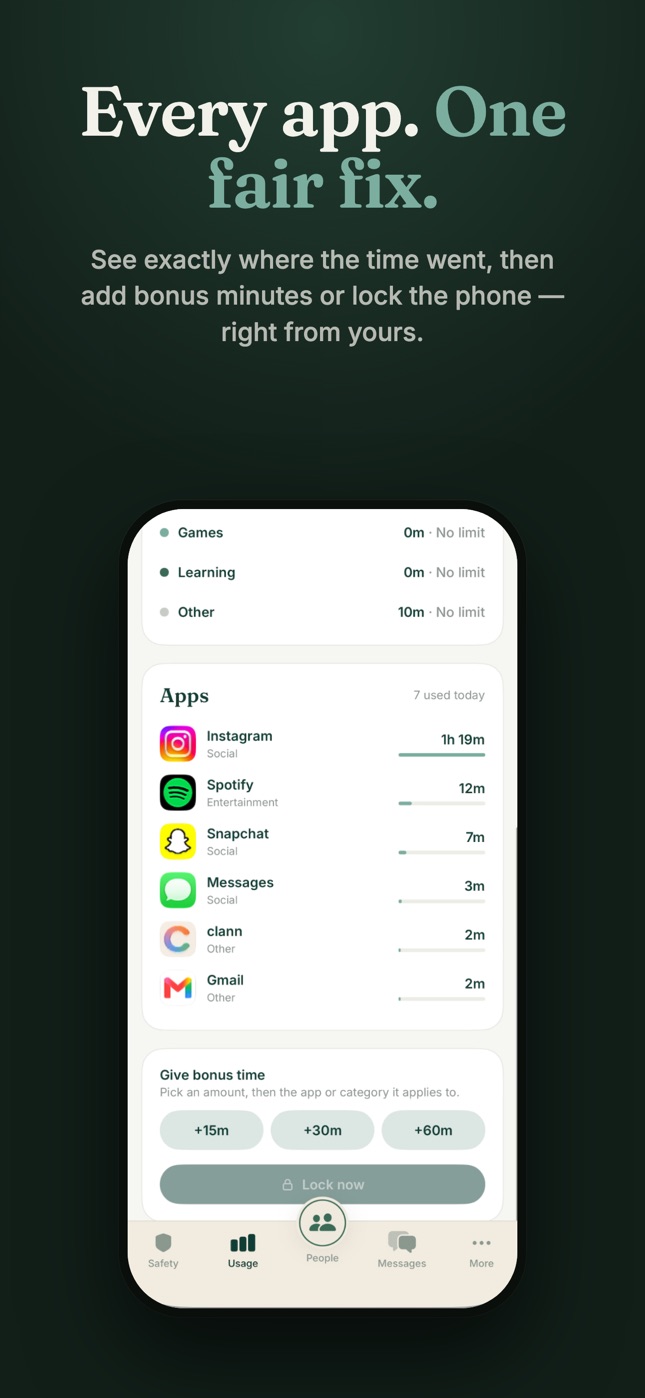
Add 15, 30, or 60 minutes to one app or category, approve a request from the notification, or lock every phone at once.

A block screen that explains itself

Kids see why an app is paused and when it comes back — and can ask for more time right from the block screen.

Trips, live and replayed

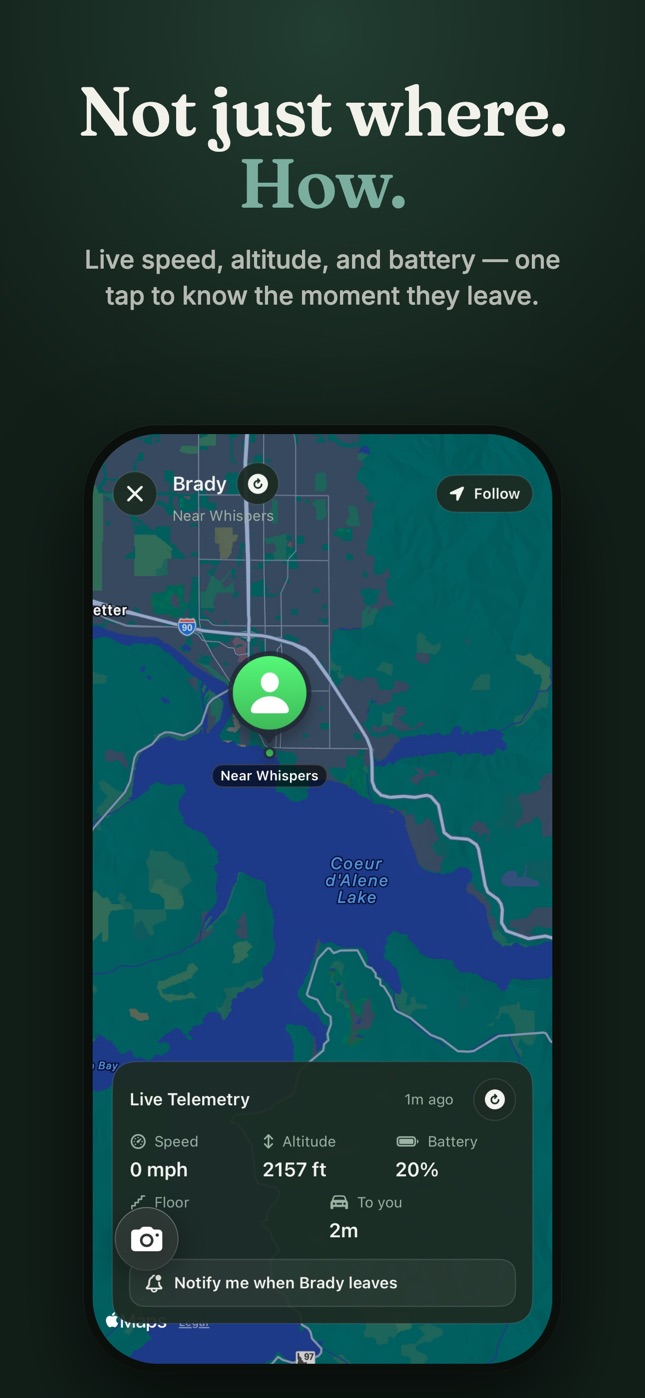
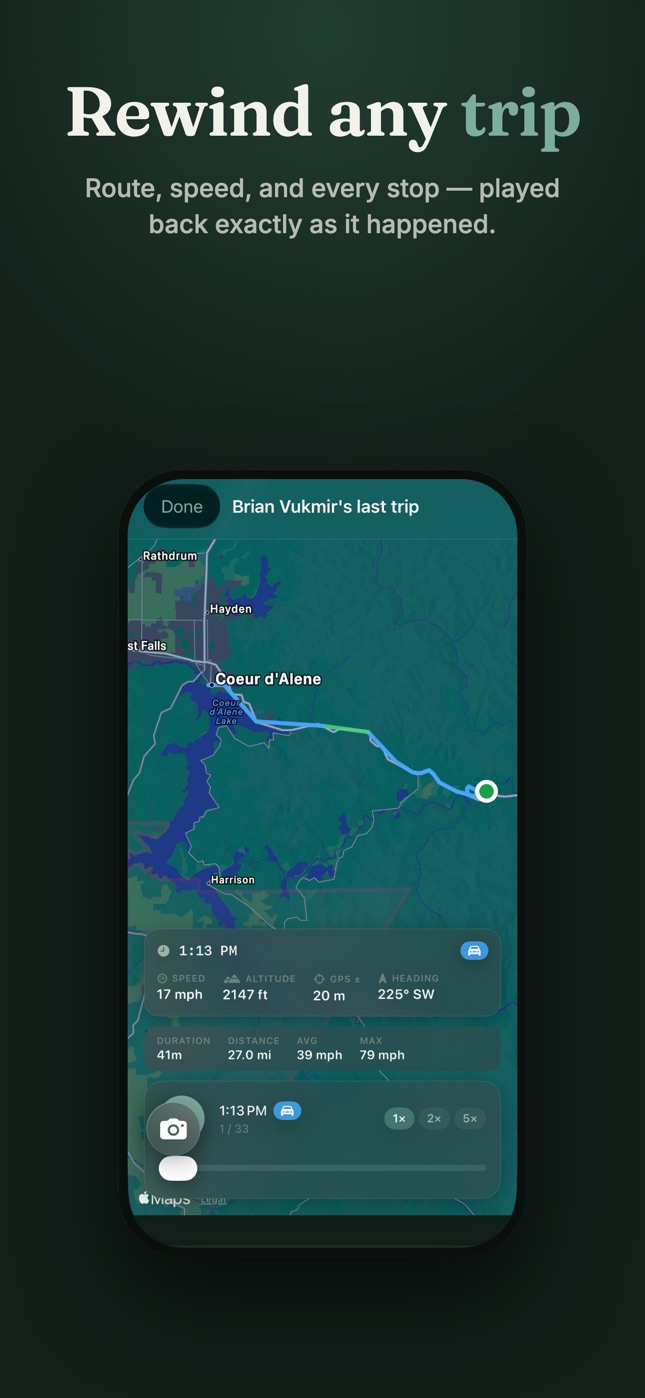
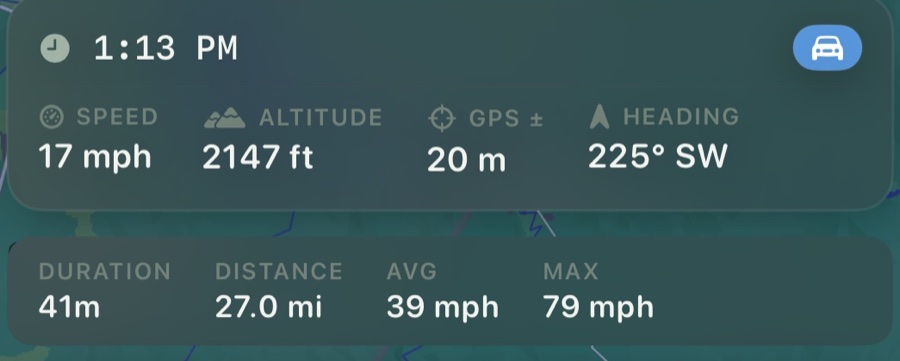
Live speed and altitude while they're moving, then a replay of any trip — route, speed, and every stop, exactly as it happened.

Find & navigate to them

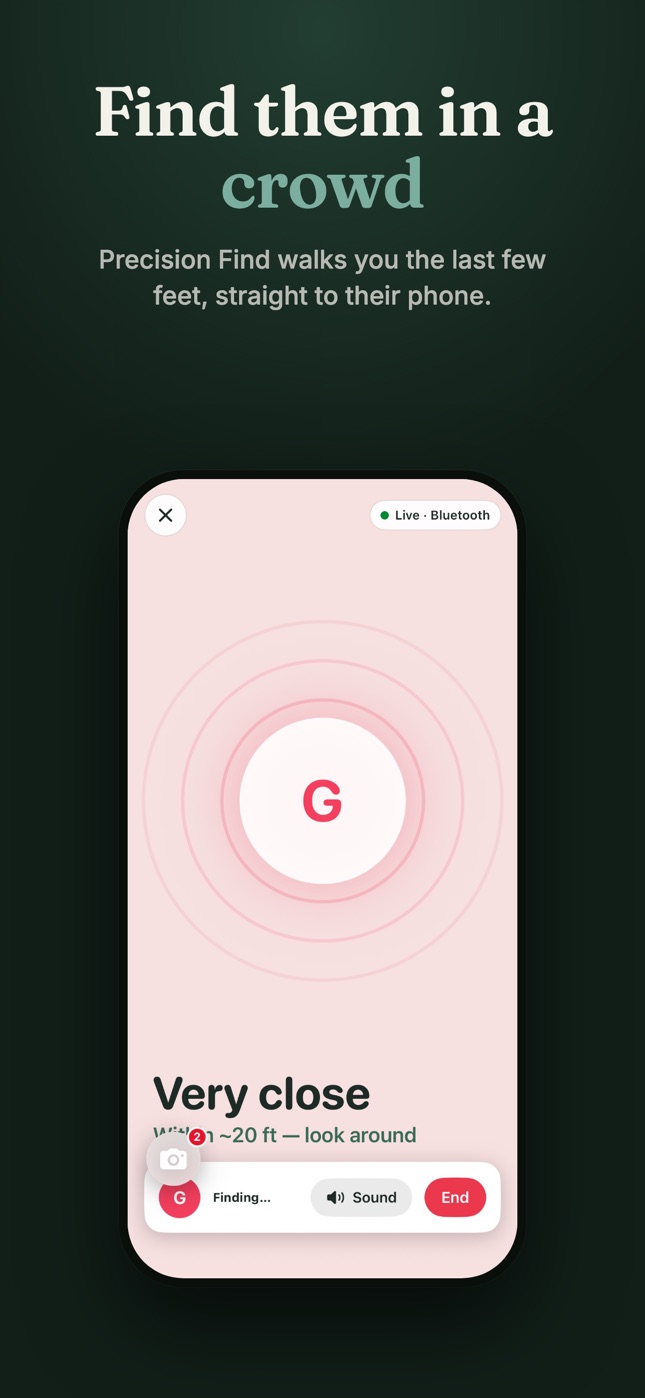
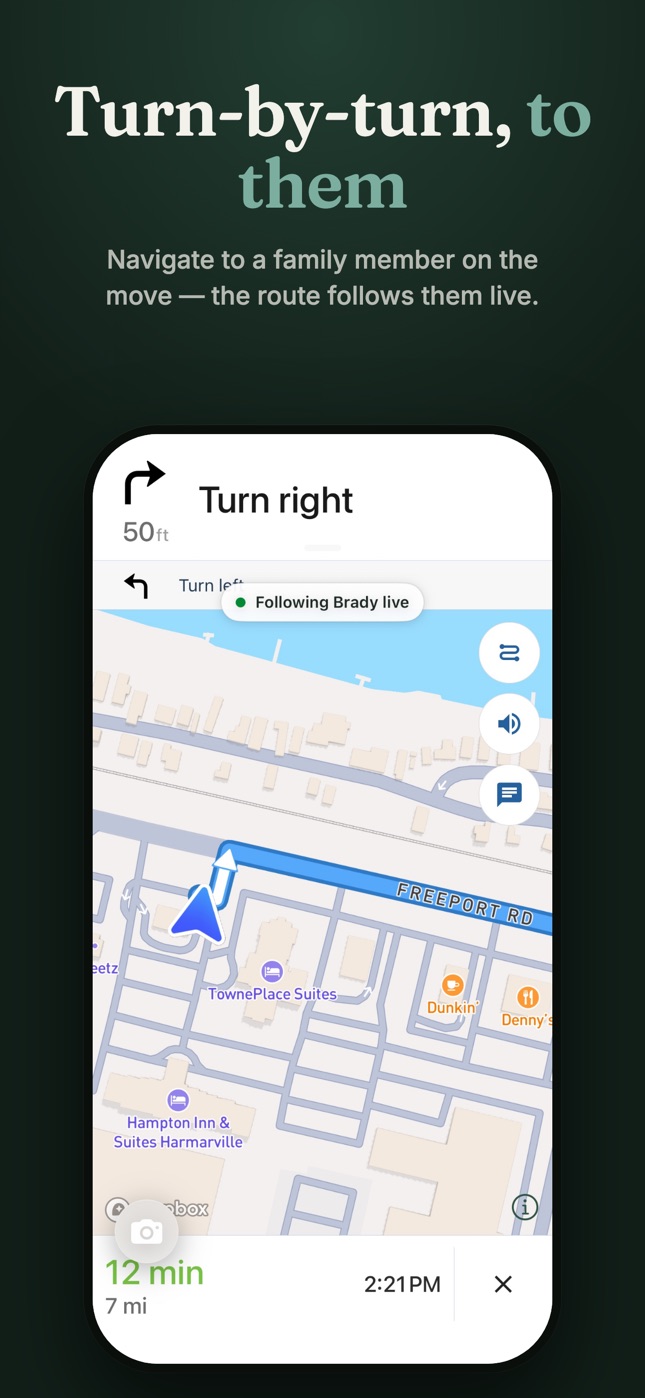
Precision Find walks you the last few feet to their phone. Turn-by-turn directions follow a family member as they move.

What's new · Clann 2.0.3

The Usage update

The biggest change since Clann launched: a Usage tab that shows the whole family's screen time clearly, plus calmer, clearer controls for kids and parents alike.

  • A Usage tab for the whole familyToday and this week for every kid — time, top apps, pickups, and the nearest limit.
  • Bonus time for one app or categoryGive 15, 30, or 60 minutes to just the thing they asked for, right from Usage.
  • Block screens that say why — and until whenKids see which rule paused an app and when it comes back, so nobody has to guess.
  • Lock and unlock you can see landWhen you lock a phone, Clann confirms it took — on the map, on the roster, and in the Day card.
See everyone at a glance

One map for the people you love

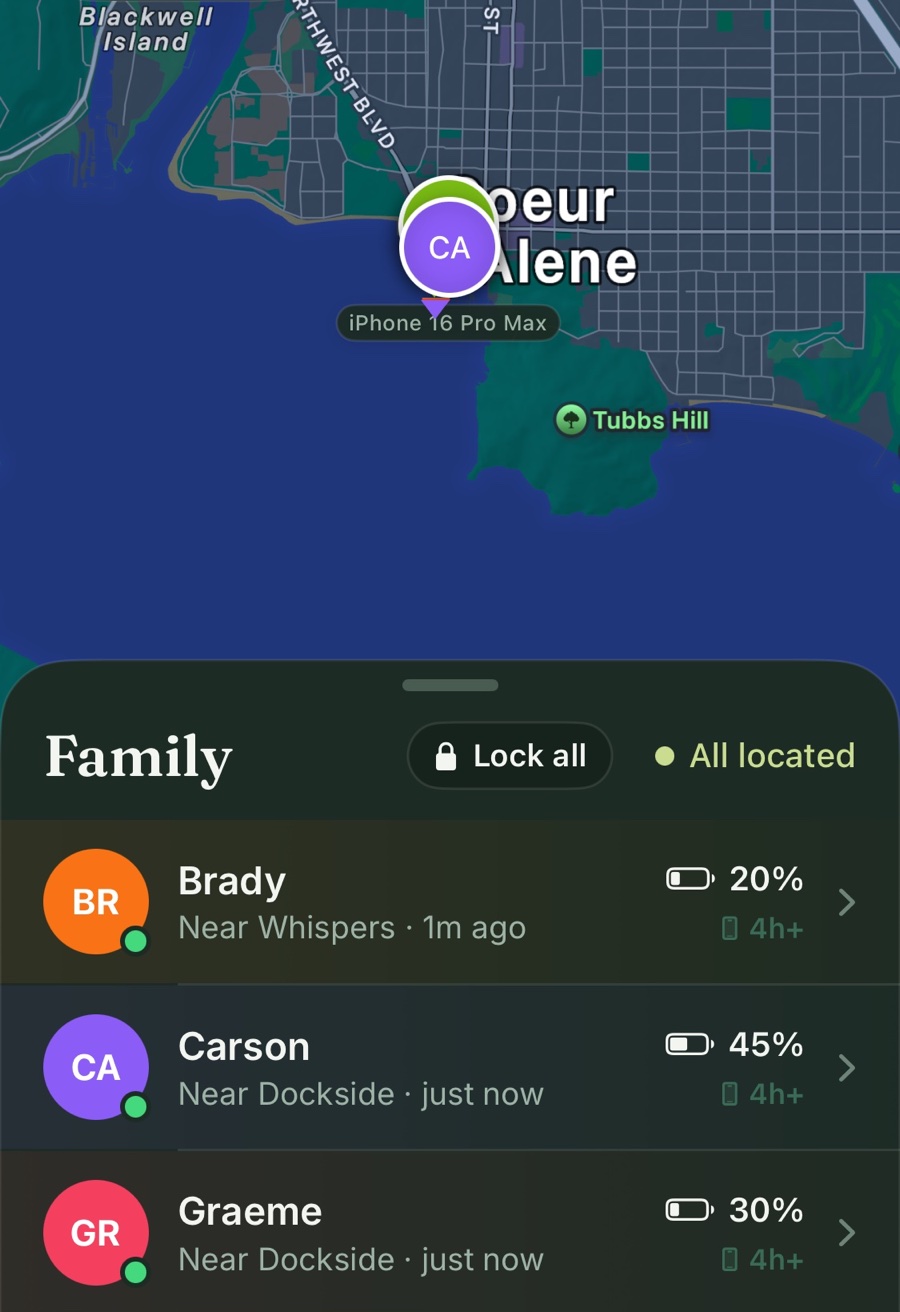
Clann puts your whole family on a single, always-current map. Glance once and you'll know who's home, who's on the move, who might need a charger soon — and whose phone is locked or limited right now.
  • Real-time positions — everyone's latest location, right where you'd expect it.
  • Battery at a glance — spot a low phone before it goes dark.
  • Screen-time status on the roster — locked, limited, or free, without opening anything.
  • Sharing on your terms — every member controls their own visibility.
Clann's family map over Coeur d'Alene with Carson's pin, and the Family roster below it: Brady, Carson, and Graeme with their nearest place, last update, battery, and a Lock all button
New · Usage

Screen time you can actually see

Every kid's day at a glance, and every week in perspective. Clann shows the time, the apps behind it, and whether it's rising or falling — so the conversation starts with facts instead of guesses.
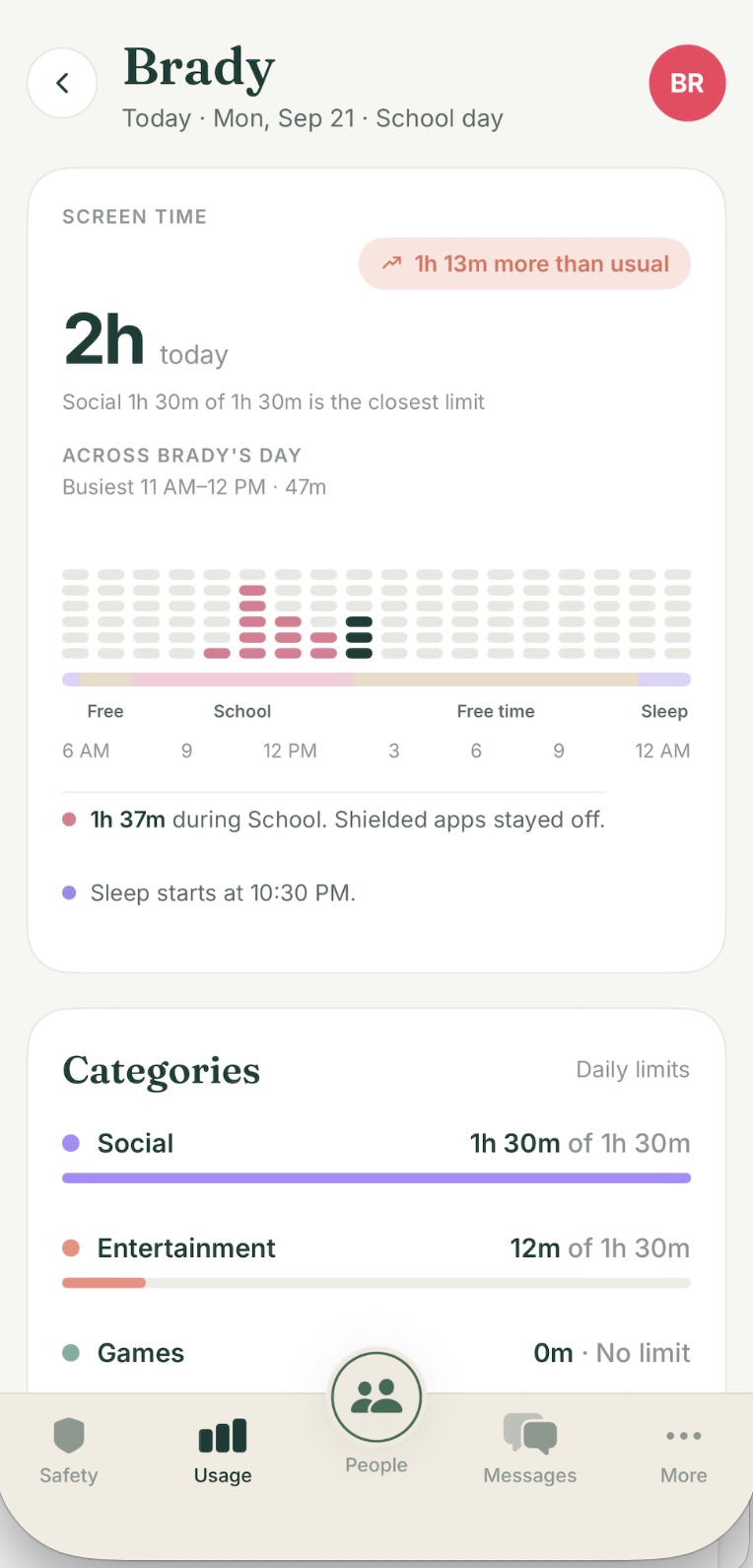
  • Today, per kid — total time, pickups, longest session, top apps, and the nearest limit.
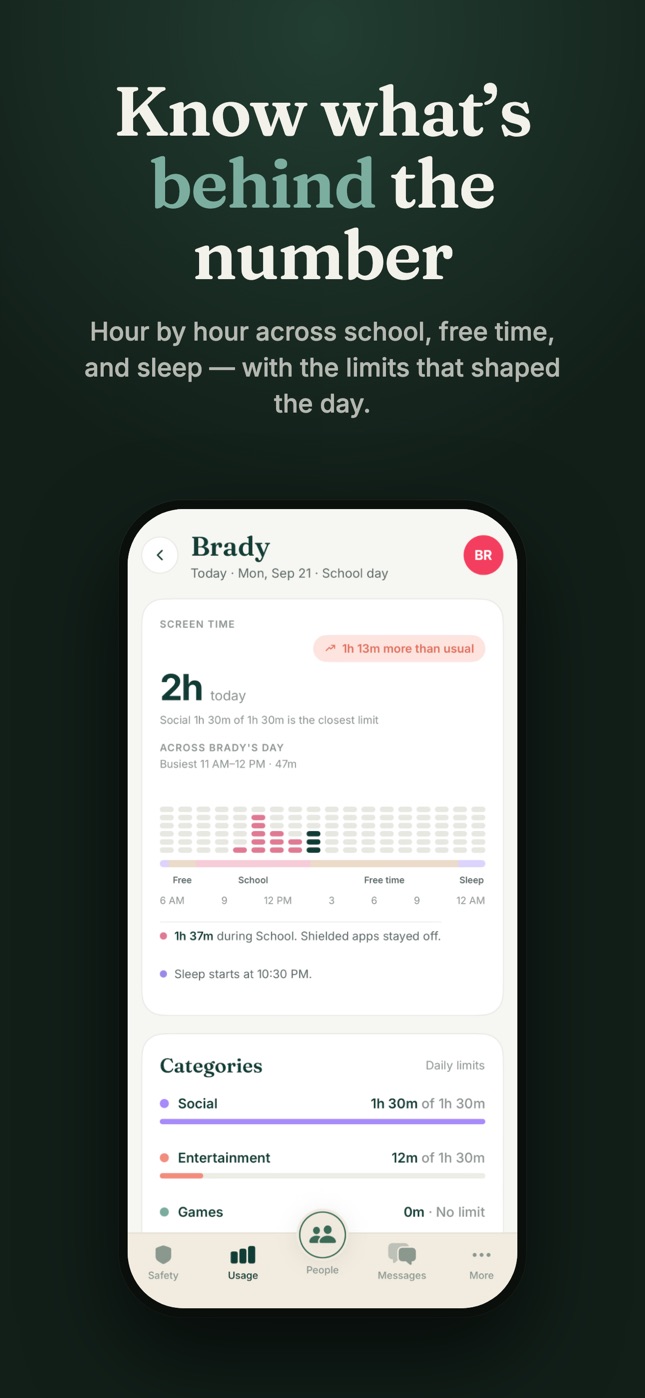
  • Hour by hour — across school, free time, and sleep, with what stayed blocked.
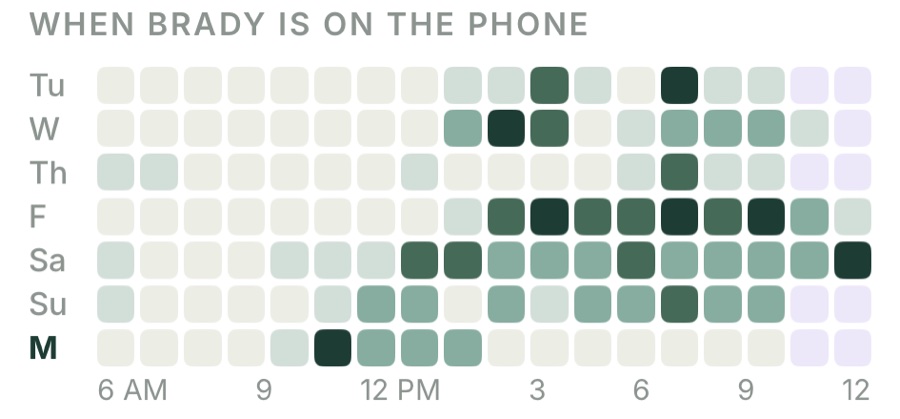
  • The whole week — when they're on the phone, compared to their usual, rising or falling.
Week heatmap of when Brady is on the phone, hour by hour, Tuesday through Monday
Brady's full day in Clann: 2 hours today, 1 hour 13 minutes more than usual, an hour-by-hour chart across school, free time, and sleep, and category limits
Healthy screen time, together

Balance without the battles

Set the rules once and Clann helps them hold — app and category budgets, a sleep block, school hours, and a calm block screen that tells your kid why and for how long. When they ask for more, you decide with a single tap.
  • App & category limits — daily budgets for Social, Games, Entertainment, or one specific app.
  • Bedtime & school hours — quiet hours that wind the phone down automatically, at home or at school.
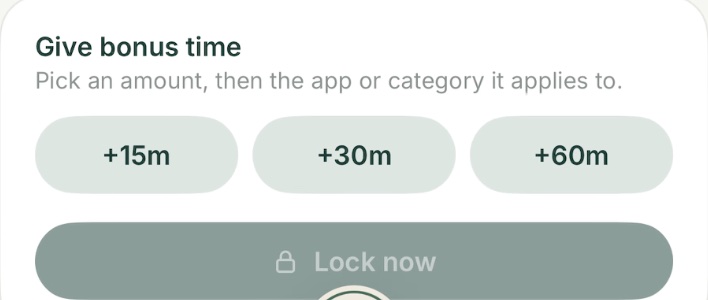
  • Bonus time, scoped — unlock just the app or category they asked for, not the whole phone.
  • Lock all, one tap — dinner, homework, or bedtime for every kid's phone at once, and you see it land.
Give bonus time in Clann: pick +15m, +30m, or +60m, then the app or category it applies to, or Lock now
Carson asked for 15 more minInstagram · just now
Approve
Sleep blockWinds down at 10:30 PM · back at 6:00 AM
On
Peace of mind on the road

Not just where. How.

For the newest drivers and the farthest trips, Clann quietly keeps watch — live speed and altitude while they're moving, an arrival note when they're safe, and a replay of the whole trip you can talk through together.
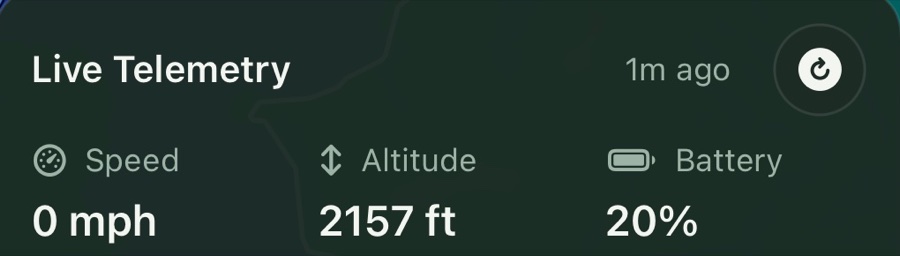
  • Live telemetry — speed, altitude, and battery, plus one tap to know the moment they leave.
  • Rewind any trip — route, speed, and every stop, played back exactly as it happened.
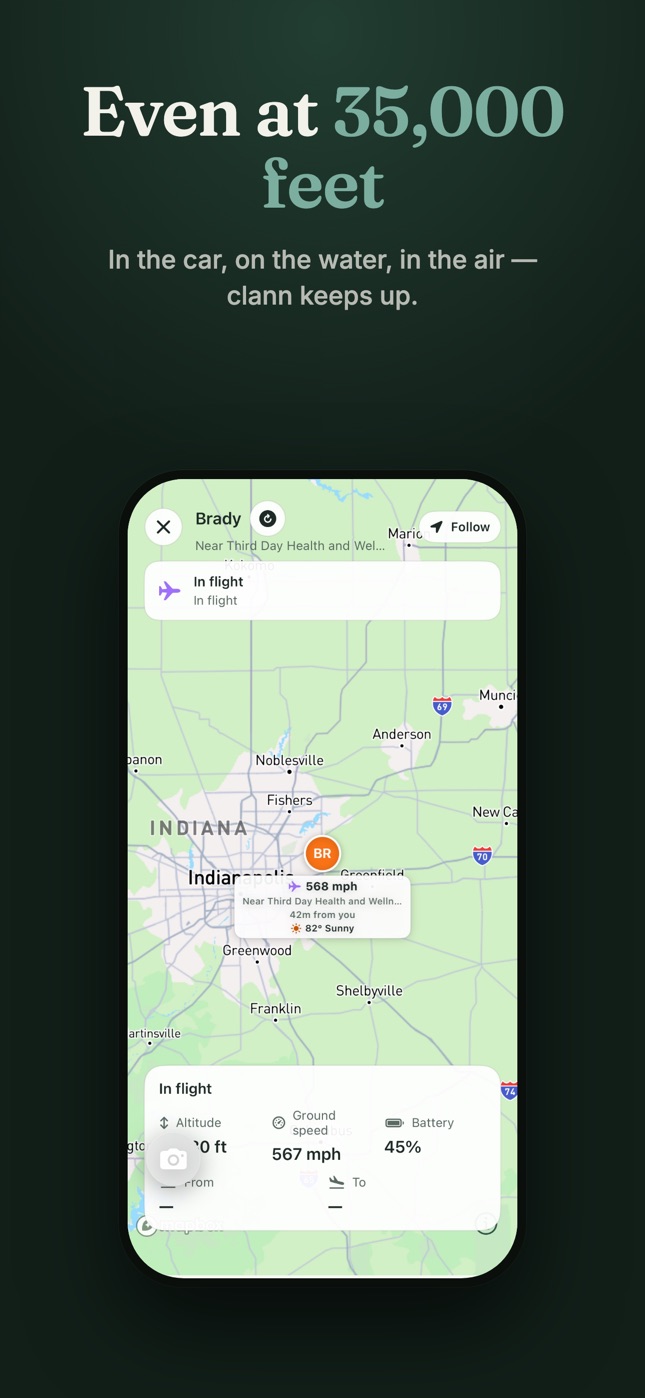
  • Even at 35,000 feet — in the car, on the water, in the air, Clann keeps up.
  • Find them, then drive to them — Precision Find for the last few feet, turn-by-turn to a family member on the move.
Live Telemetry card in Clann showing speed, altitude, and battery, updated a minute ago
Trip replay stats in Clann: speed, altitude, GPS accuracy and heading at 1:13 PM; 41 minutes, 27 miles, 39 mph average, 79 mph max

Private by design, always

Clann exists to bring your family closer — not to sell what it learns. Your family's data stays within your family. No advertising, no data brokers, no cross-app tracking — and we never sell your data. Screen-time detail comes from Apple's Family Controls and stays on your family's devices.

Encrypted in transit You control sharing No ads, ever Delete your data anytime

Read the full Privacy Policy.

Bring your family a little closer.

Set it up in minutes. Feel the difference the first time someone gets home safe and you already knew.

Download on theApp Store